 plots
plotsFeatures · Grow
Draw the farm once
Trace your fields on the satellite map, set the bed count, length, width, and numbering, and every planting from then on hangs off a real bed with real dimensions. Rotation history, QR codes, soil texture, covers, and the watering plan all need that map, so you draw it once and never type a bed name again.
QR codes
Scan the bed, not the list
Print a QR sheet for the farm, staple a code to each bed stake, and scanning it with the phone opens that bed: what is planted, what is due, what was logged last. No scrolling a 60-bed list with wet hands to find Bed 23. Log a harvest, a pest scout, or an observation against the bed you are standing at, and it lands on the right planting without a picker.
- One QR sheet for every bed, printed from the app
- Scan lands on the bed detail with its active plantings
Bed record
What happened on this bed
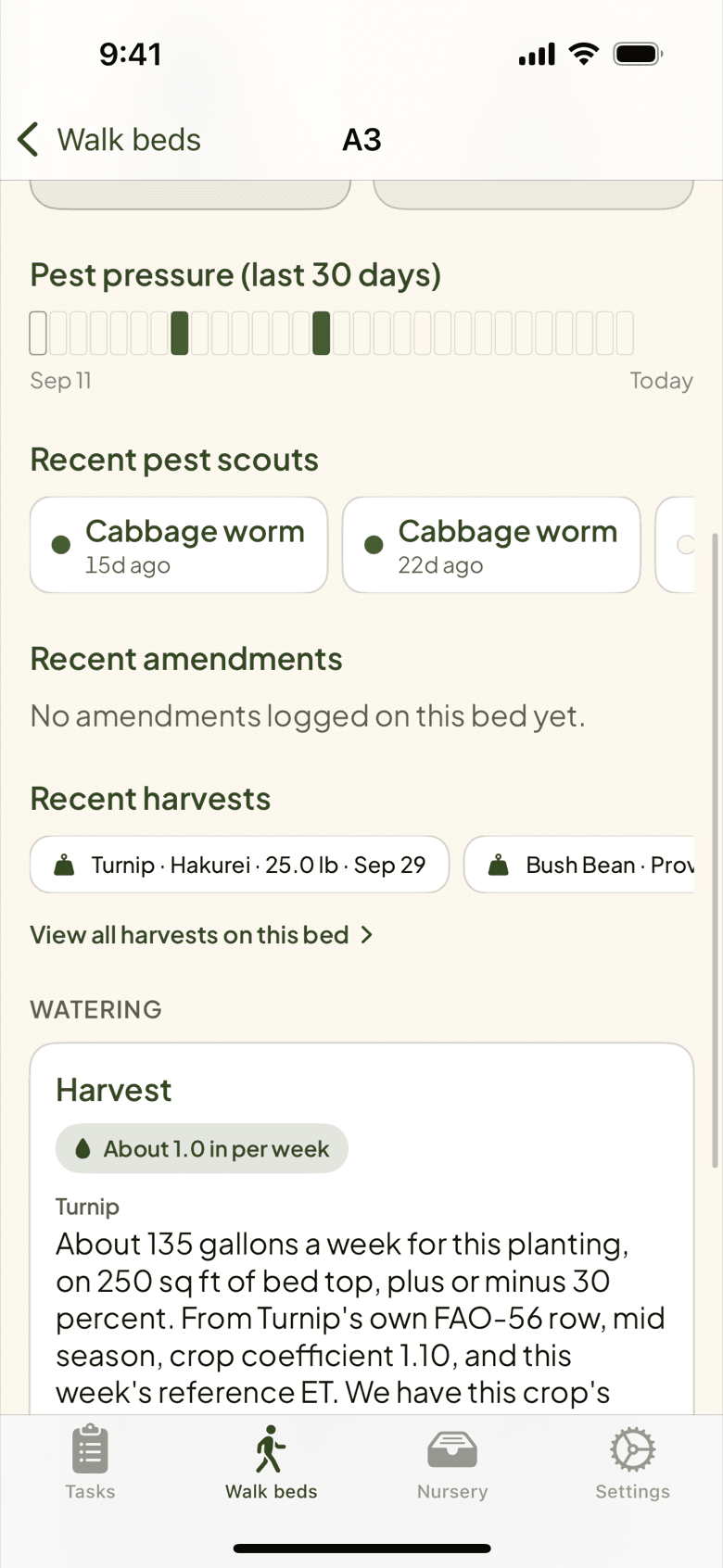
Open Bed 14 on the phone and its record reads down: pest pressure over the last 30 days, the recent Pest scouts, the amendments that went on, and the harvests that came off, with links to every amendment and harvest on the bed. A new crew member can read the bed's past standing at it. At the desk, the planner remembers which family grew here last season and warns before the same one goes back in.
Soil
Tell it what your soil is
Pick each field's soil in a grower's words: sandy loam in the top field, clay loam in the low one. PlotsFarm stores it with the field and uses it where it matters, in the watering plan, where sandy soil and heavy soil hold water differently. Skip it and PlotsFarm falls back on the USDA soil survey for your location. Soil tests are recorded per field, with a separate form for pasture.
Covers
The tarp knows when it comes off
Put a tarp, row cover, or low tunnel on a bed and record it as a span with a start and an intended end. The removal shows up as a task on the day, with the bed and the planting underneath, so the silage tarp does not sit on Bed 3 for a month after it finished its job. Covers show on the bed detail and the plan, so you see at a glance which beds are under something and which are open.
- Tarps, row covers, low tunnels, recorded per bed with dates
- Removal lands on the task list
Covers and warnings
The cover is on. Stop the busywork
A bed under a silage tarp has no crop to weed, and a bed under row cover does not need the chores an open one does. Record the cover on the bed and PlotsFarm quietly stops generating the tasks that make no sense under it. Harvest and watering tasks are never hidden, a task you already have is never deleted, and clear plastic keeps its weeding task because weeds grow under it.
More in fields, beds, and map
Bed lengths and widths
Real dimensions per bed drive spacing math, seed counts, and yield estimates.
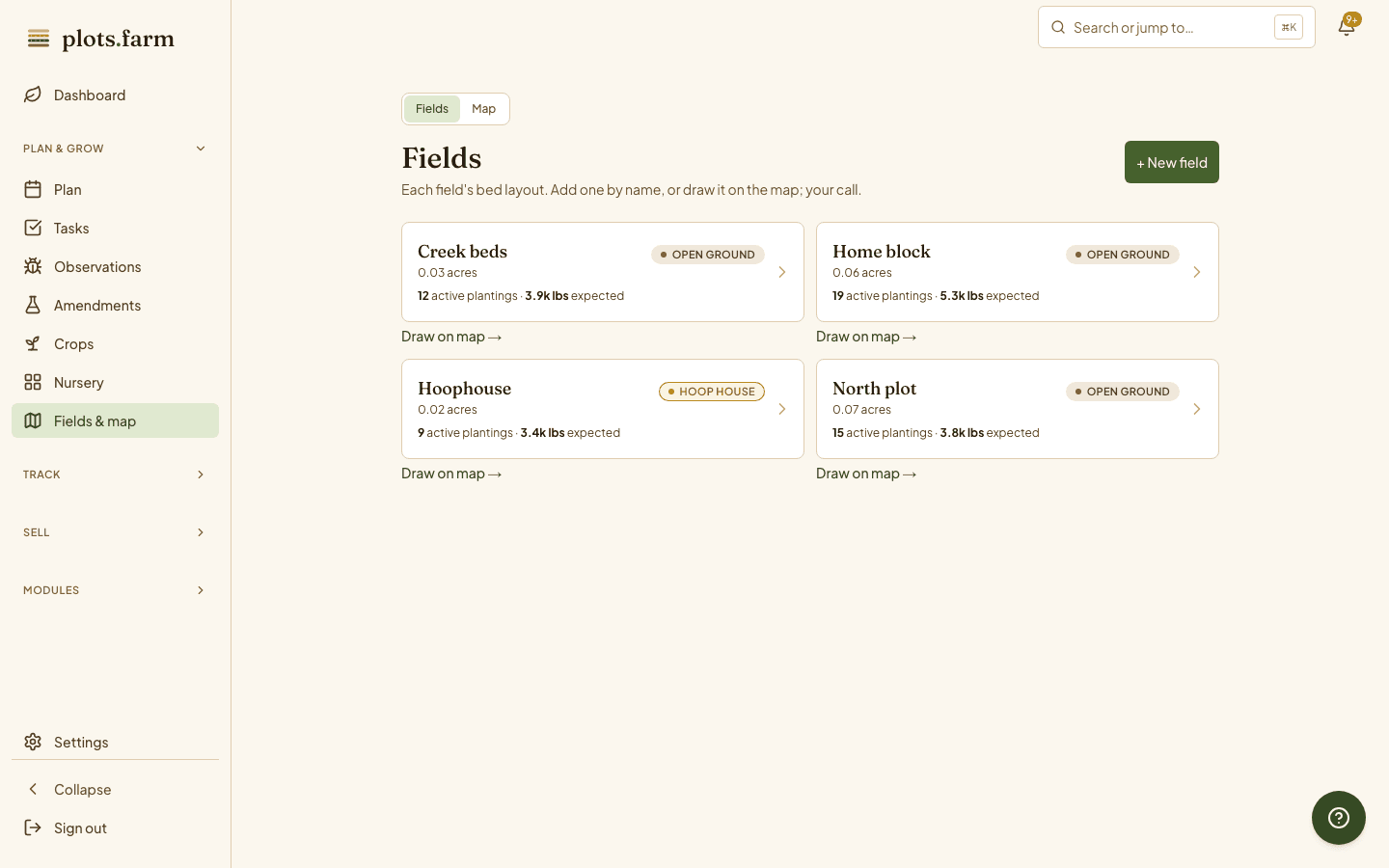
Fields and beds list
Every field with its beds, orientation, and what is planted now.
Farm map
Fields, hoophouses, tunnels, and buildings as GPS polygons on satellite.
Bed detail history
Plantings, harvests, observations, and covers, season by season, on one bed.
Cover crops
Rye on a pulled bed in one tap, and it shows in the rotation.
Print bed QR sheet
One sheet of codes for the whole farm; staple and scan.
One field, twelve beds, and a rooftop? See how urban farms draw a small map and get the same bed-level record.
PlotsFarm for urban micro-farms →Works with
Pricing
Start on the free tier
Free is a plan, not a trial. Plan the season, work the task list, log harvests, run a CSA and an online store, and take payments, with no subscription and no card. Selling carries a per-transaction fee; the numbers are on the pricing page.