 plots
plotsFeatures · Grow
Walk the beds. The desk catches up
The phone is for the field; the web is for planning. Log a harvest, a Pest scout, or a photo at the bed, complete the morning's tasks as you walk, and the web has it when you sit down. The iPhone app is on the App Store, with an Apple Watch companion, and the web app runs phone-first in any browser.
Harvest capture
Log it at the bed
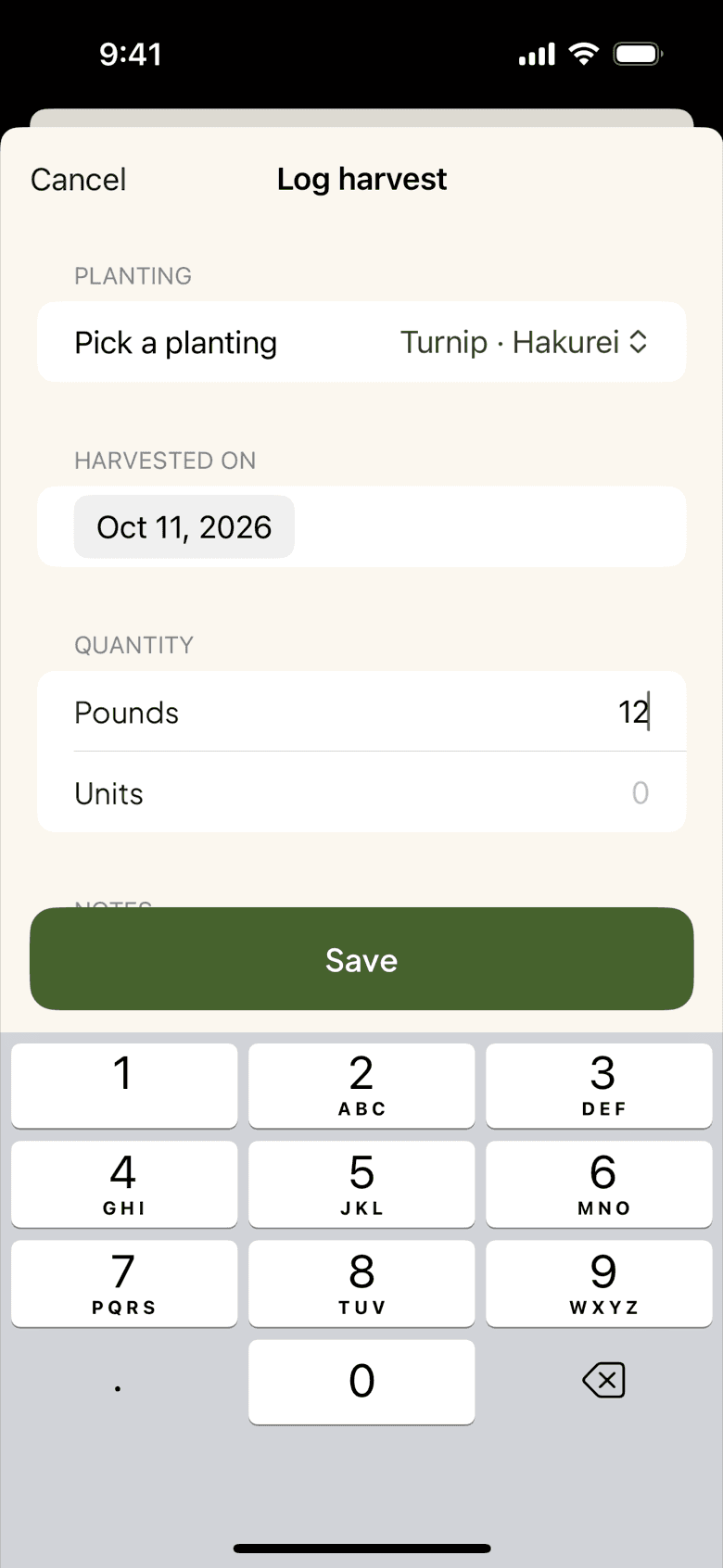
Pick the bed, pick the active planting, type the quantity, save. It takes seconds, so you do it standing in the row. The harvest lands on the planting card as actual against expected, creates a lot in inventory, and shows on the web before you reach the wash station. Typed 120 instead of 12? Fix it from the phone and the lot and the totals correct themselves.
- Bed picker, planting picker, quantity, date
- Lot created and planting yield updated on save
Today's list
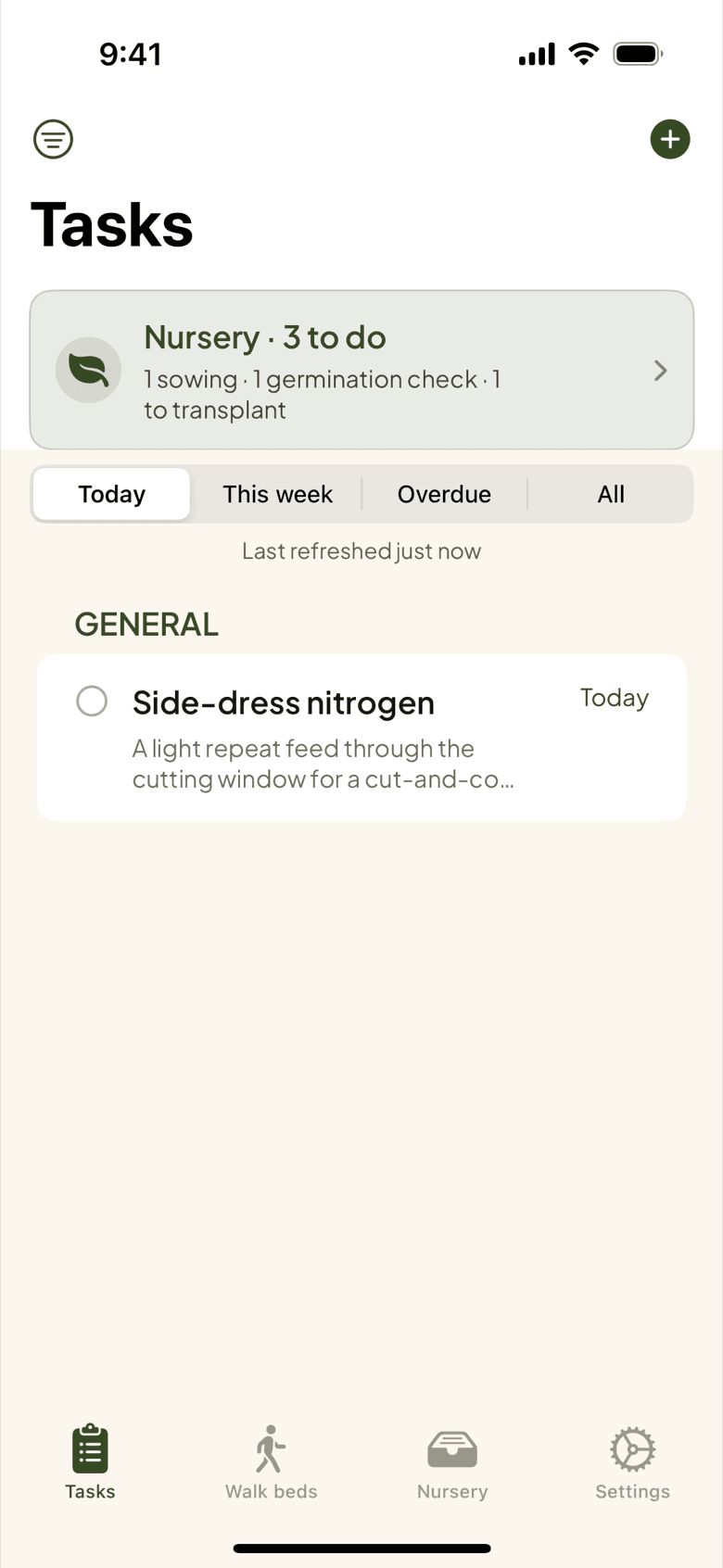
Planned at the desk, on the phone at dawn
The tasks you scheduled in February arrive on the phone the morning they are due in July, with field, bed, and crop inline. Today, Week, Overdue, All. Swipe to complete, open a task to finish it with a note, and add a task from the field when you spot one. Owners, managers, and workers keep the same roles and permissions as on the web.
Notifications
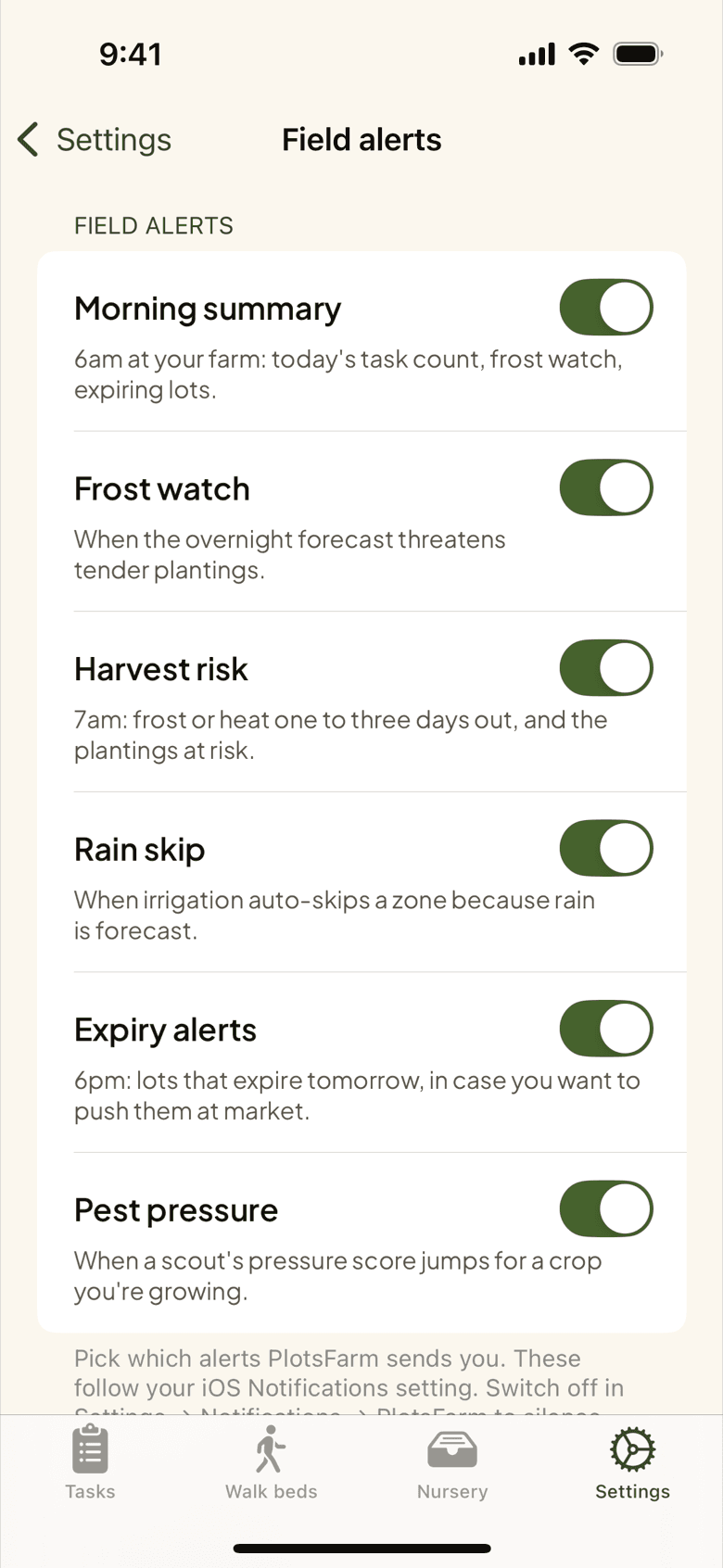
Only the alerts you want
Every kind of push is its own switch, among them the morning summary of today's tasks, frost watch when a cold-sensitive planting is at risk tonight, expiry the evening before a lot runs out of shelf life, and pest threshold when the same pressure keeps coming back. Orders, payouts, and CSA sign-ups have switches of their own. Turn off what you do not need; the ones you keep are the ones you will act on.
- Morning summary, frost watch, expiry, pest threshold
- Orders, payouts, and CSA sign-ups switched separately
Apple Watch
Aphids, logged from the wrist
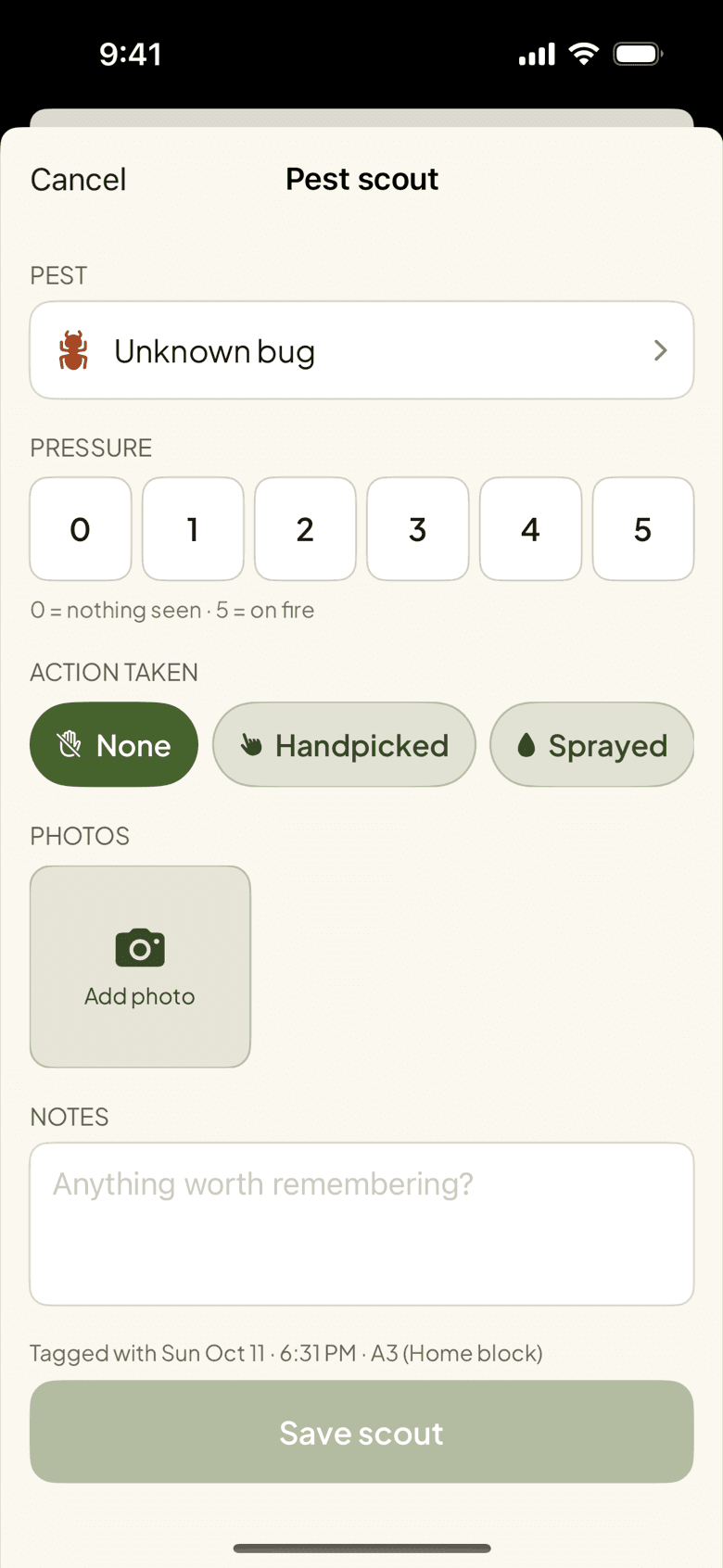
Hands wet, phone in the jacket, aphids on the kale. Raise the wrist: the last bed and pest are pre-filled, turn the Crown to a severity, tap Log scout. The Watch also completes and snoozes tasks, takes a harvest count by Crown, and records a voice journal that the phone transcribes. A watch-face complication shows today's high and low with a snowflake when frost is forecast. Out of range, it queues and replays.
QR codes
Scan the bed, not the list
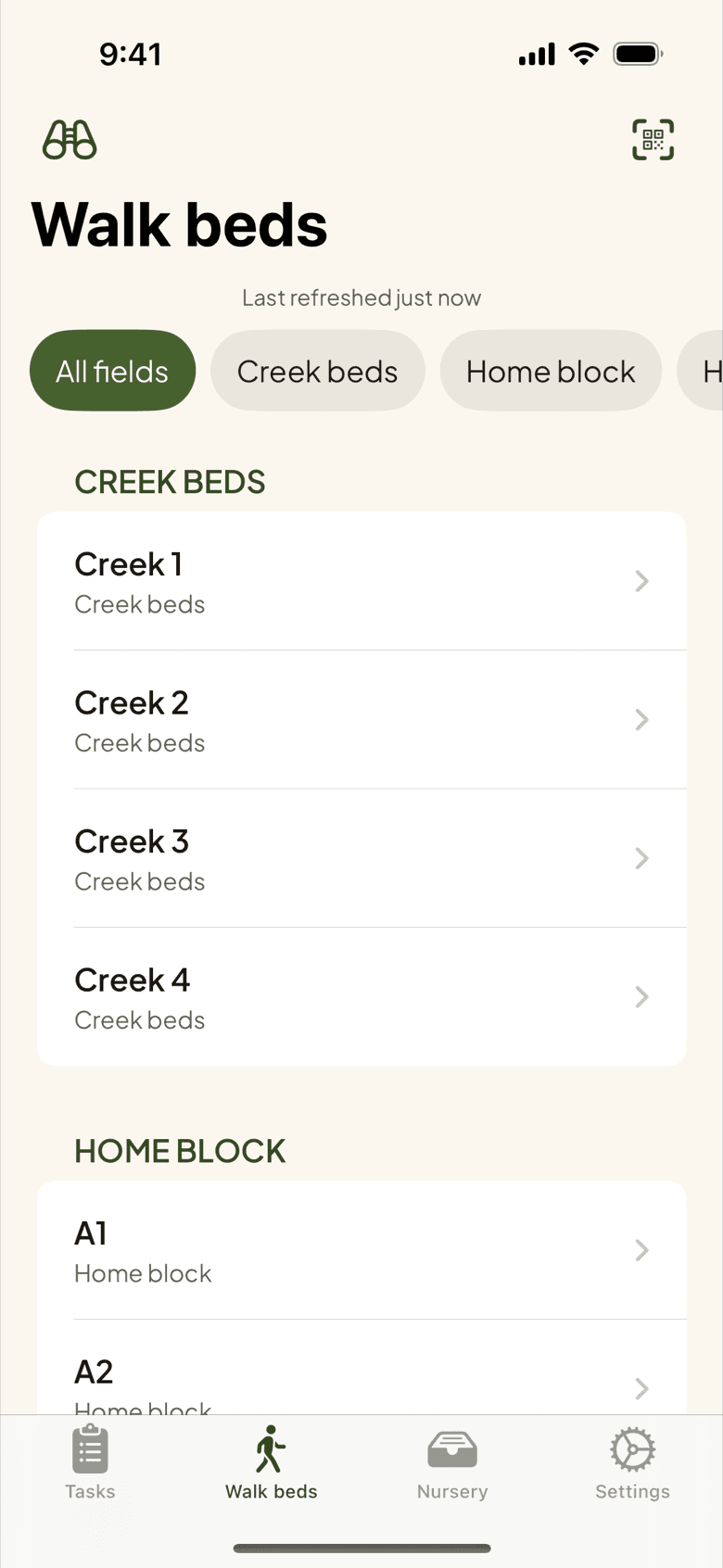
Every bed gets a QR code on a printed sheet. Scan the stake and the phone opens that bed with its plantings, its last observation, and its due tasks. No scrolling a long list in sunlight to find Bed 23. The screen is high contrast with tap targets sized for gloves, portrait only, with dark mode when you want it. Sign in once with Face ID or Touch ID; the Watch inherits the sign-in from the phone.
More in iphone and apple watch
Offline-tolerant capture
Writes queue when signal drops and replay on reconnect; photos and audio survive a restart.
Walk the beds
Beds grouped by field and bed number, camera first, big targets, portrait only.
Frost watch push
A notification the night a tender planting is at risk.
Morning summary
Today's tasks in one push before you leave the house.
Photo library picker
Attach a photo you already took, not just one from the camera.
Fix it from the phone
Edit or delete a harvest at the bed; the lot and the totals follow.
Running beds across a rooftop and two lots? See how urban farms capture everything from the phone.
PlotsFarm for urban micro-farms →Works with
Pricing
Start on the free tier
Free is a plan, not a trial. Plan the season, work the task list, log harvests, run a CSA and an online store, and take payments, with no subscription and no card. Selling carries a per-transaction fee; the numbers are on the pricing page.