 plots
plotsFeatures · Sell
The chef orders from this week's sheet
Publish a price sheet from what is picking this week, let your restaurant and grocery buyers order from it in their own portal, confirm with changes when you ran short, and invoice on net terms without a spreadsheet. The sheet reads from your harvest lots, so a crop shows as picking only when it is actually being picked. Wholesale is included with the Pro and Business plans.
Confirm with changes
The chef ordered what you ran short on
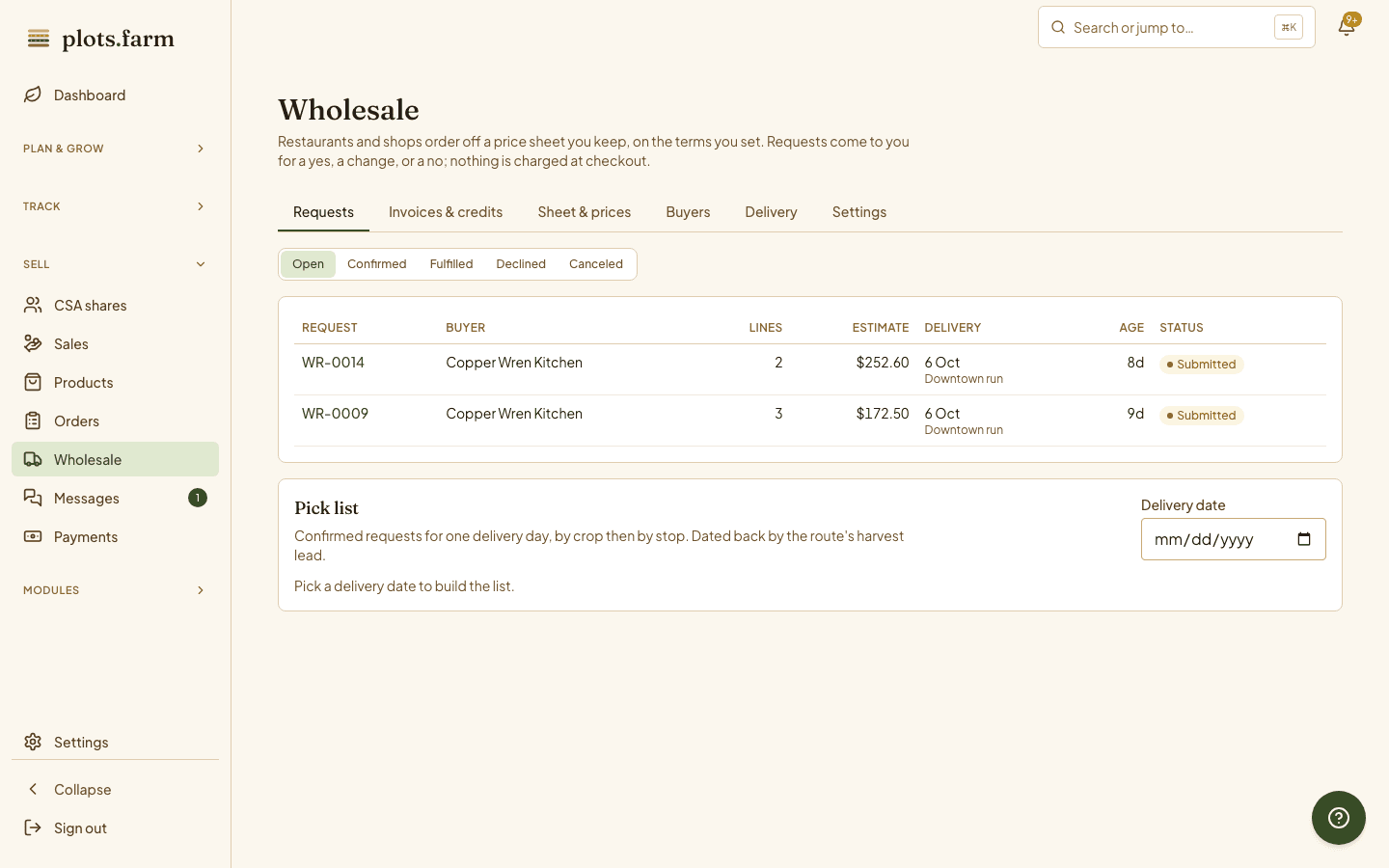
The order asks for 20 pounds of Sungold and the cooler has 14. Confirm with changes: cut the line to 14, substitute the Juliet if the chef said yes to substitutions, and the buyer sees the revised order before you load the van. An off-sheet ask like squash blossoms gets priced on the request, and Add to sheet turns it into a normal priced row: pick the crop and pack, check the price, and the chef's wording stays on the line.
- Adjust quantities and substitutes before you confirm
- Off-sheet asks become sheet items from the same line
- The buyer sees the confirmed version
Invoicing
Net 30 without the spreadsheet
A confirmed order becomes an invoice on the terms you gave that buyer, NET-15 or NET-30, with the delivered quantities already on it. The buyer pays by card from the invoice link, or you record a check, and online payments land in your account with the rest of your deposits. Open, due, overdue, and paid are visible per buyer, so the Thursday call about last month's invoice takes thirty seconds.
On the phone
The chef ordered at midnight
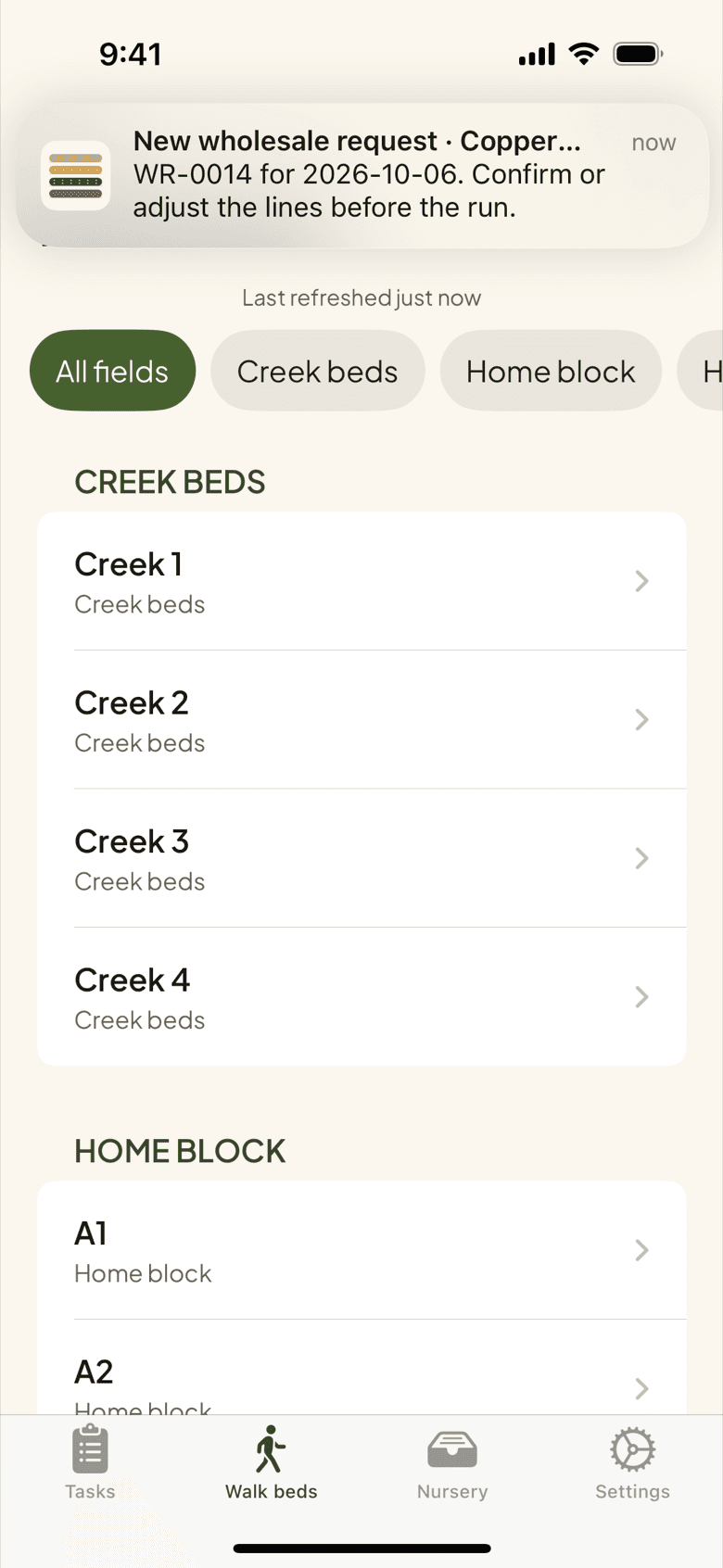
Restaurant orders arrive after service. A push lands on your phone when a request comes in, so you know before the walk-in opens. Confirm or adjust it from the Requests tab, and the lot quantities are committed so the Saturday store does not sell the same kale twice. The chef sees the confirmed order in their portal, so nobody has to text a correction before the van leaves the farm.
Messages
One thread per buyer
Every buyer has one message thread with your farm, with attachments, so the conversation about Tuesday's delivery window and the photo of the bruised case live next to the orders they are about. No texts to find, no email chain to forward. If you have not opened the messages tab in a day, a morning digest tells you what is waiting; buyers see their side in the portal.
Pricing
Standing discounts and quantity breaks
Give a buyer a standing discount and every sheet they see is already at their price. Set quantity breaks on an item, 10 pounds or more at a lower rate, and the break applies itself when the order crosses it. The sheet shows each buyer their own numbers, so you stop keeping three versions of a spreadsheet and the invoice always matches what the chef saw when they ordered.
More in wholesale
Buyer portal
Chefs and grocers order, message, and pay from their own sign-in.
Ready now, coming soon
The sheet marks what is picking today and what is a week out.
NET-15 and NET-30
Terms per buyer; invoices carry the due date from the day they are drafted.
Claims and credits
A short case on delivery becomes a credit on the next invoice.
Buyer accounts
One account across every PlotsFarm farm a buyer orders from.
Pro and Business
Wholesale is included with the Pro and Business plans; details on the pricing page.
Selling to six restaurants and a grocer? See how wholesale growers put the whole platform together.
PlotsFarm for wholesale and restaurant supply →Works with
Pricing
Start on the free tier
Free is a plan, not a trial. Plan the season, work the task list, log harvests, run a CSA and an online store, and take payments, with no subscription and no card. Selling carries a per-transaction fee; the numbers are on the pricing page.