 plots
plotsFeatures · Plan
A second opinion on your plan, with its sources
Steward reads your beds, your rotation history, your frost dates, and your stated goal, then drafts a season, reviews the one you already have, or fills the empty bed in week 17. The agronomy comes from the database and a constraint solver; the model only writes the rationale. Nothing lands on a bed until you accept it.
Plan mode
A first draft of next season
Tell Steward what you are planning for: profit, self-sufficiency, soil building, or pollinators. It returns a feasible plan for your beds with a reason on every crop, and it will not propose a planting on top of one that is still in the ground. Take the whole draft or just the crops you want. Reject with a note and rerun; your feedback threads into the next pass, and every earlier scenario stays on the timeline.
- Per-item accept, or the whole plan
- Diff card: creates, conflicts, untouched
- Accepted items become real plantings, successions, tasks, and trays
Suggest mode
The empty bed in week 17
The Beds view shows a gap in Bed 11 from mid-July to September. Give Steward the bed and the date and it proposes the next planting that fits: what grew there before, what family just came out, what the sow window allows in that week, and what your farm has done well on that bed. The suggestion arrives as a planting you can apply, not a paragraph you have to translate.
Sources
Where did that sow date come from
Every date and warning Steward leans on traces to a row in the crop database: sow windows relative to your frost dates, germination by soil temperature, bolt temperatures, vernalization needs, frost tolerance. Those rows cite Johnny's Germination Guide, USDA NRCS, and university extension publications from Cornell to UC Davis. When Steward says your lettuce is sown into 95°F soil, that is a rule with a citation, not a model's opinion.
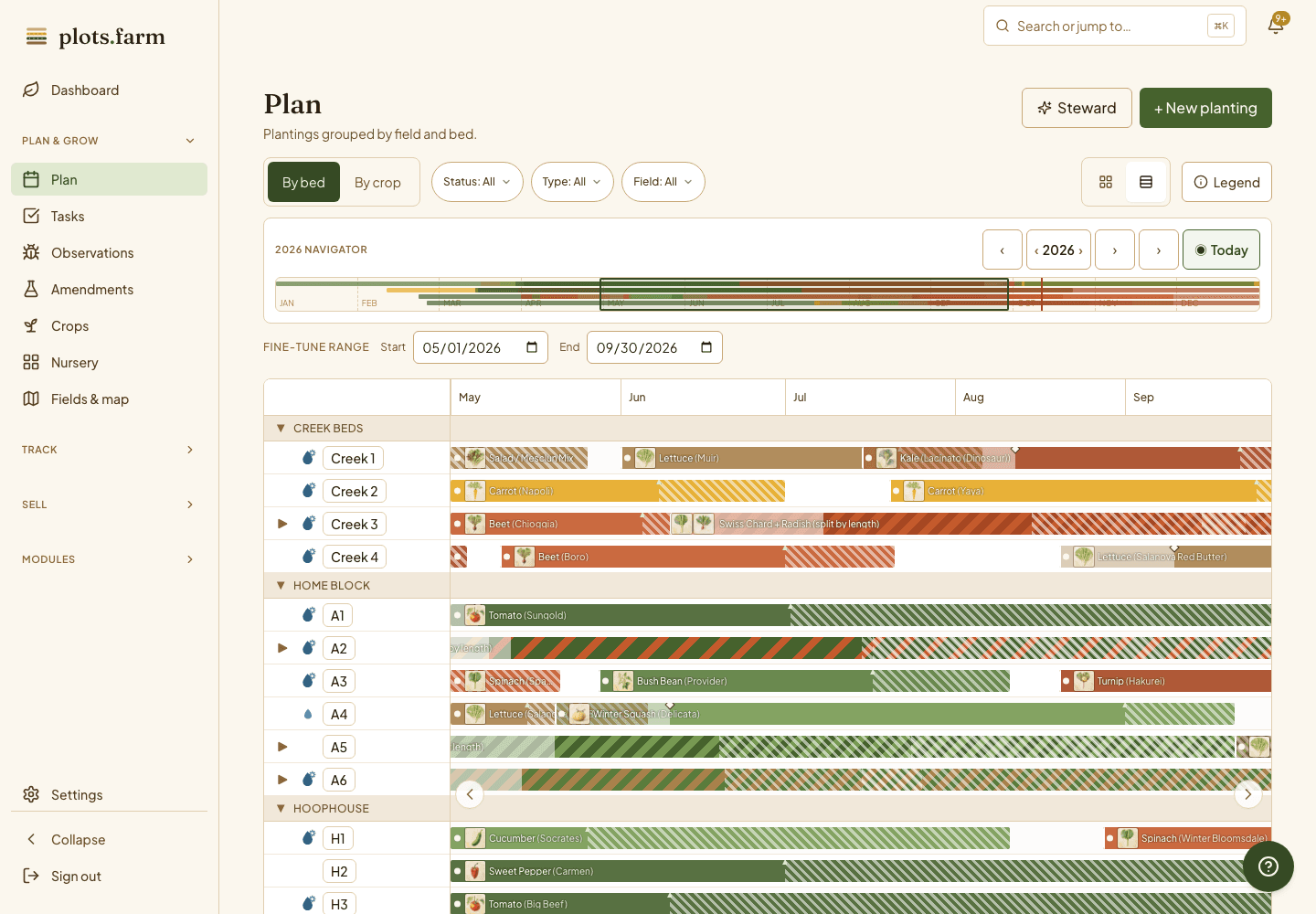
Fix it from the card
Your lettuce is going to bolt
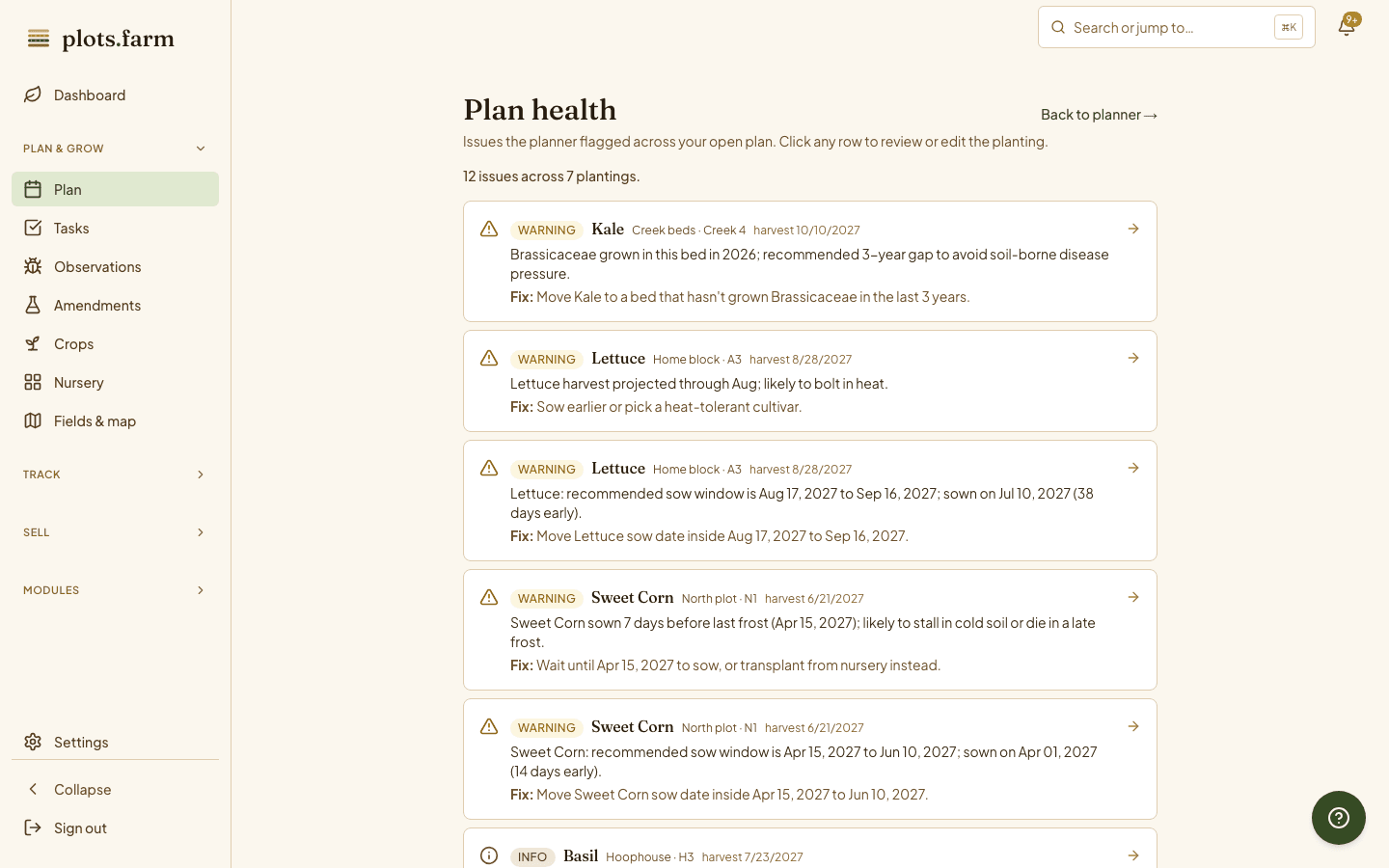
Plan-health rules walk your scheduled plantings and flag the patterns that bite growers in their first seasons: lettuce sown into an August heat wave, a family clash in the rotation, a frost-naive transplant ahead of forecast cold, a succession gap that leaves a bed empty too long, nursery demand over your bench. The finding sits on the planting card with the fix beside it. Apply the fix in one tap and the dates and tasks cascade.
- Plan-health rules, run against every scheduled planting
- Findings on the dashboard, as severity dots on the Gantt, and as a filter chip
How it works
The database knows the agronomy
Steward is two parts. A constraint solver works out what fits on which bed in which week, under your rotation, your frost dates, and your nursery capacity. A language model writes the rationale in field-notebook sentences. The model never picks a planting date, because the model does not know agronomy; the database does. That is why every date in a plan traces back to a rule you can read.
More in steward, the planning assistant
Occupancy-aware proposals
Steward never plans over a planting that is still in the ground.
Deterministic rules behind the narration
The solver and the rules engine decide; the model explains.
Pro and Business tiers
Steward is a paid-plan feature; the pricing page lists what each plan includes.
Nursery-aware
Transplant crops get a back-dated sow date so the tray is created in the right week.
Review before apply
Every scenario shows its diff against the current plan before anything is written.
Undo
Every rerun keeps its lineage; walk back to any earlier scenario.
Planning forty beds of successions by hand? See how market gardeners use Steward to shorten the winter spreadsheet.
PlotsFarm for market gardeners →Works with
Pricing
Start on the free tier
Free is a plan, not a trial. Plan the season, work the task list, log harvests, run a CSA and an online store, and take payments, with no subscription and no card. Selling carries a per-transaction fee; the numbers are on the pricing page.