 plots
plotsFeatures · Grow
The plan moved. The list followed
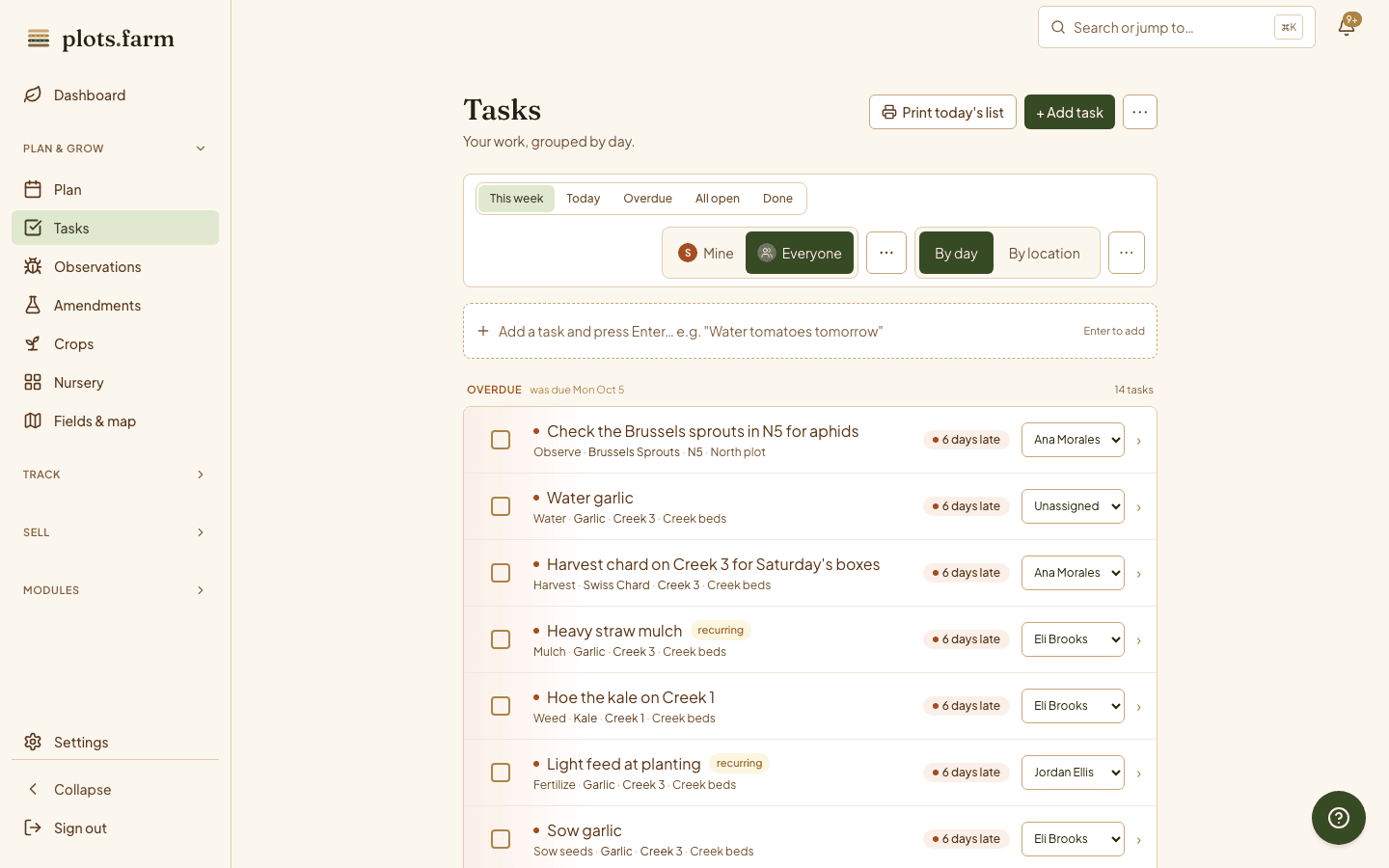
Every planting writes its own tasks: sow, transplant, weed, side-dress, harvest, pull. Move the planting and the tasks move. Your crew sees today's work with the bed and crop inline, on their phone or on a printed sheet, and you see what got done without asking.
Roles
The crew sees what they need
Invite a teammate by email and give them a role. Owners do everything. Managers run the agronomy and the crew but not the member roster or the money. Workers complete tasks, log harvests, and adjust inventory, and see a home screen built around today's list. The permissions hold at the API, so nobody cancels a CSA member by accident, and a worker who cannot do something is told to ask the owner instead of hitting an error.
- Owner, manager, worker
- Enforced at the API, not just hidden buttons
Assigned to
Whose bed is this
Assign a task to a teammate and it lands on their list. Flip between Mine and Everyone on the web and on the phone: the person doing the weeding sees their own morning, and you see the whole farm's. Each row names the field, the bed, and the crop, and a finished task keeps who completed it. Nobody has to ask across the field whose job Bed 12 was, because the row already says.
Calendar feed
Your tasks, in your calendar
Subscribe to your task list from Google Calendar, Apple Calendar, Outlook, or Fastmail with one token-authenticated link. Set the hour for a morning summary alarm and your 8 a.m. Saturday reminder that six tasks are due comes from the calendar you already check. Rotate or disable the link from settings. On iPhone, tasks also sync two ways with Reminders: complete it on either side and the other follows.
- iCal feed for any calendar app
- Morning summary alarm at the hour you choose
- Two-way iOS Reminders sync
Gloves on, clipboard wins
Paper is still the most reliable screen in a wet greenhouse. Print today's list in a chrome-free view that fits a page where it can, grouped by location so the sheet reads in walking order: East field first, then the hoophouse. The supplies list prints the same way for the seed company. Tick it off on paper, enter it at lunch, and the plan still knows what happened.
Done, with a note
The crew finished. You already know
A worker completes "Weed Bed 12" from the phone, adds "left the far end, hornworms on the tomatoes next door," and keeps walking. On the web the task flips to done with the name, the time, and the note on the line. No end-of-day debrief to find out what was and was not touched. Snooze a task to tomorrow from its menu; the list and the calendar feed carry the new date.
More in tasks and team
Six tasks before coffee
Today's list on the phone, with field, bed, and crop inline so you know where to walk.
New crew member, first morning
One email, one tap to accept, and the worker home screen is ready.
Recurring tasks
Compost top-up, irrigation check, rotation review; set a repeat on a template once.
Owner / manager / worker
Three roles, enforced where it counts: the roster and the money.
Morning summary push
Today's tasks arrive as one notification before you reach the field.
By day / by location
Sort the week by date, or by field so the walk is one pass.
Running a crew around a weekly pack-out? See how CSA farms keep the list and the roster in one place.
PlotsFarm for csa farms →Works with
Pricing
Start on the free tier
Free is a plan, not a trial. Plan the season, work the task list, log harvests, run a CSA and an online store, and take payments, with no subscription and no card. Selling carries a per-transaction fee; the numbers are on the pricing page.