 plots
plotsFeatures · Track
Fourteen crops, one save, and the cooler knows
Log a pick day in one table or one row at a time, from the web or at the bed on your phone. Every harvest becomes a lot with what is on hand, what is committed, and what is still good to sell. The planting card shows actual against expected the moment you save, and the storefront reads from the same numbers.
Entry at the bed
Logged at the bed, counted on the web
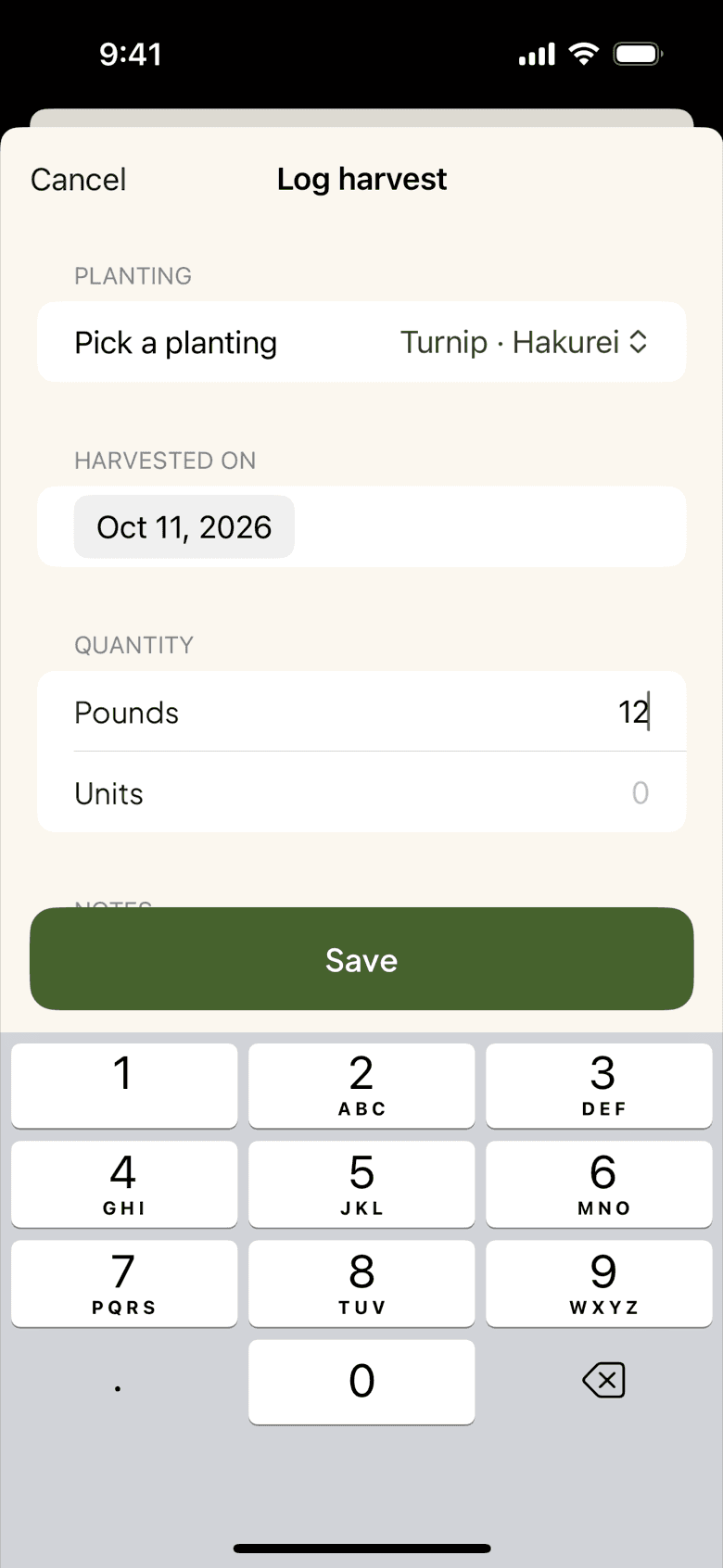
Pick the bed, pick the planting, type the quantity, done. The phone app keeps the path from row to record short, and the harvest shows up on the web before you reach the wash station. Each planting card compares what you pulled with what the catalog expected for that footprint, so Bed 8 Sungold at 62 pounds against a 70 pound forecast reads as on track, not as a mystery.
- Bed picker, planting picker, quantity, date
- Bulk table for a whole pick day, saved all at once
- Actual against expected on every planting card
Expiry
What is going soft in the cooler
Every lot carries a shelf life, from the catalog's USDA postharvest defaults or your own override for your cooler. When a lot has three days or fewer left, it gets an expiring soon badge and a place on the dashboard tile; when nothing is expiring, the tile disappears. Filter the inventory page to on hand only and you are looking at what you can actually sell this weekend.
History
Fix a harvest from August
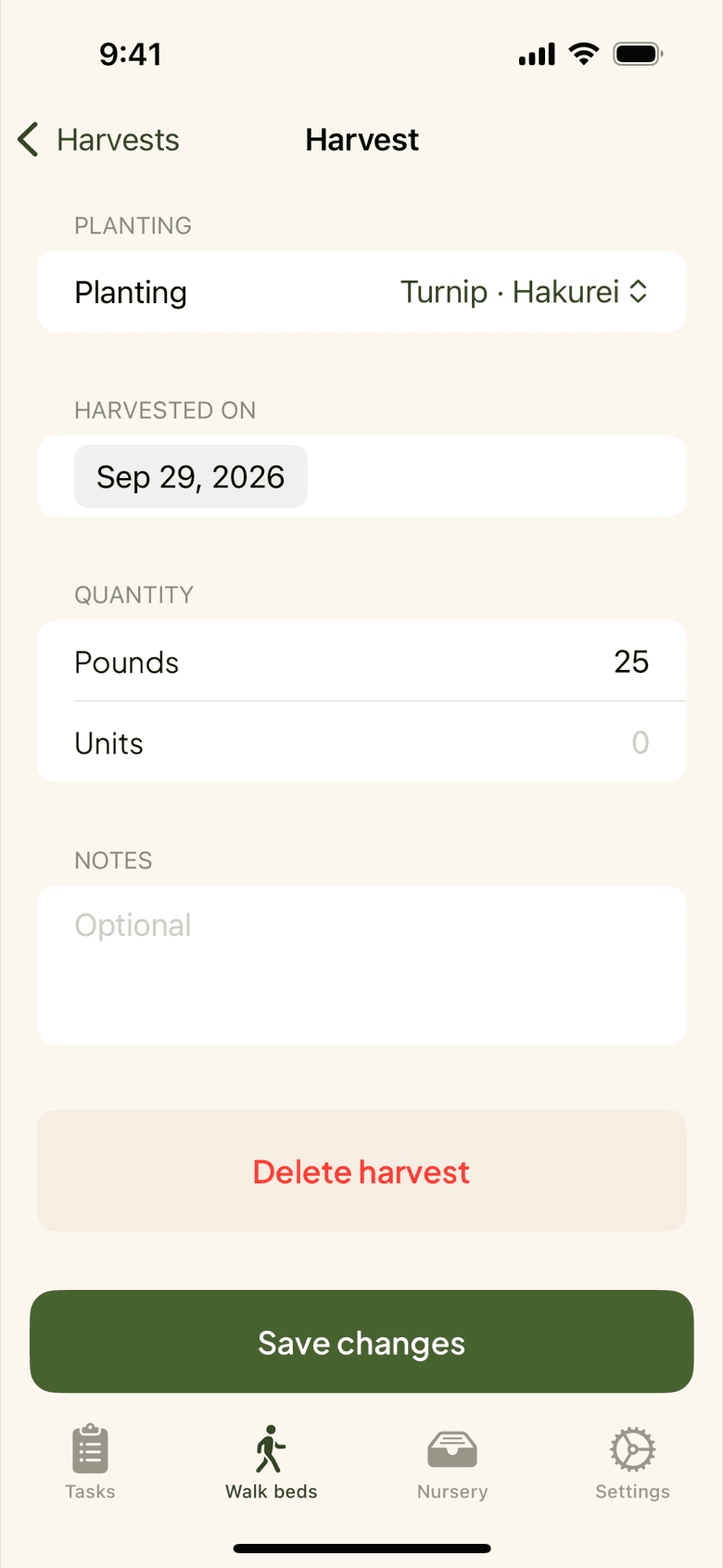
A harvest is not locked once you save it. Open the all harvests list, find the August 14 carrots, and correct the weight or the bed. The lot recomputes, the planting's yield variance recomputes, and the change is logged. Shrink, give-aways, and what you kept for the house are their own adjustments, so the cooler count and the sales count stop drifting apart by October.
Phone fix
Typed 120 instead of 12
Gloves on, a slip of the thumb, and the kale lot reads 120 bunches. Open the harvest on your phone, change it to 12, and the lot, the planting progress, and the amount available to sell all follow before anyone orders kale you do not have. The edit is recorded, so nobody has to remember what the real number was.
Available to sell
The store knows what is in the cooler
A lot has three numbers: on hand, committed to orders and shares, and available. Products in your store and items on your wholesale sheet are bound to lots, so a buyer sees the quantity that is really left, and a sold-out product goes quiet on its own when the last bunch is committed. Active plantings add an incoming column, so you can see next week's supply before it is picked.
- On hand, committed, and available per lot
- Products and sheet items bound to lots, not typed counts
- Incoming from plantings still in the ground
More in harvests and inventory
Bulk and single entry
One row from the bed, or a whole pick day in a table saved all at once.
Who harvested
Workers log harvests under their own name; the record keeps it.
Lots
Every harvest becomes a lot with its own shelf life and adjustment log.
The squash in storage is turning
A push on your phone the evening before a lot passes its shelf life.
Progress by crop, field, or planting
Harvest totals rolled up the way you want to read them.
CSV export
Your harvests as a file, for the accountant or your own spreadsheet.
Packing shares from this week's harvest? See how CSA farms put the whole platform together.
PlotsFarm for csa farms →Works with
Pricing
Start on the free tier
Free is a plan, not a trial. Plan the season, work the task list, log harvests, run a CSA and an online store, and take payments, with no subscription and no card. Selling carries a per-transaction fee; the numbers are on the pricing page.